Your site has a privacy page, linked as Privacy in the footer of every theme. It tells visitors how you use the details they send you, like booking requests and messages.
The standard notice
Until you write your own, your privacy page shows a standard notice for sites hosted on Tourfect. It covers:
- who is responsible for visitors’ details: your business name, and where you’re based and your email if you’ve added them
- what you collect and why: booking requests, bookings and basic server logs
- who you share it with: Tourfect, which hosts your site and sends emails for you
- how long you keep it
- visitors’ rights, including how to complain to the Data Protection Commission
If your site uses Google Analytics, Tag Manager or Google Ads, set under Tracking, the notice adds a line about each.
Your contact details come from Site content, then About and contact: Email and Where you’re based, under Contact details.
The standard notice is a template, not legal advice. Check it fits how you work, or ask a professional.
Read the standard notice
- In your dashboard, click Site content.
- Click Privacy page.
- Click See the standard template.
To see the page on your site, click the privacy notice link at the top.
Write your own
- Click Site content, then Privacy page.
- Type or paste your notice into Your own privacy notice (optional).
- Click Save privacy notice.
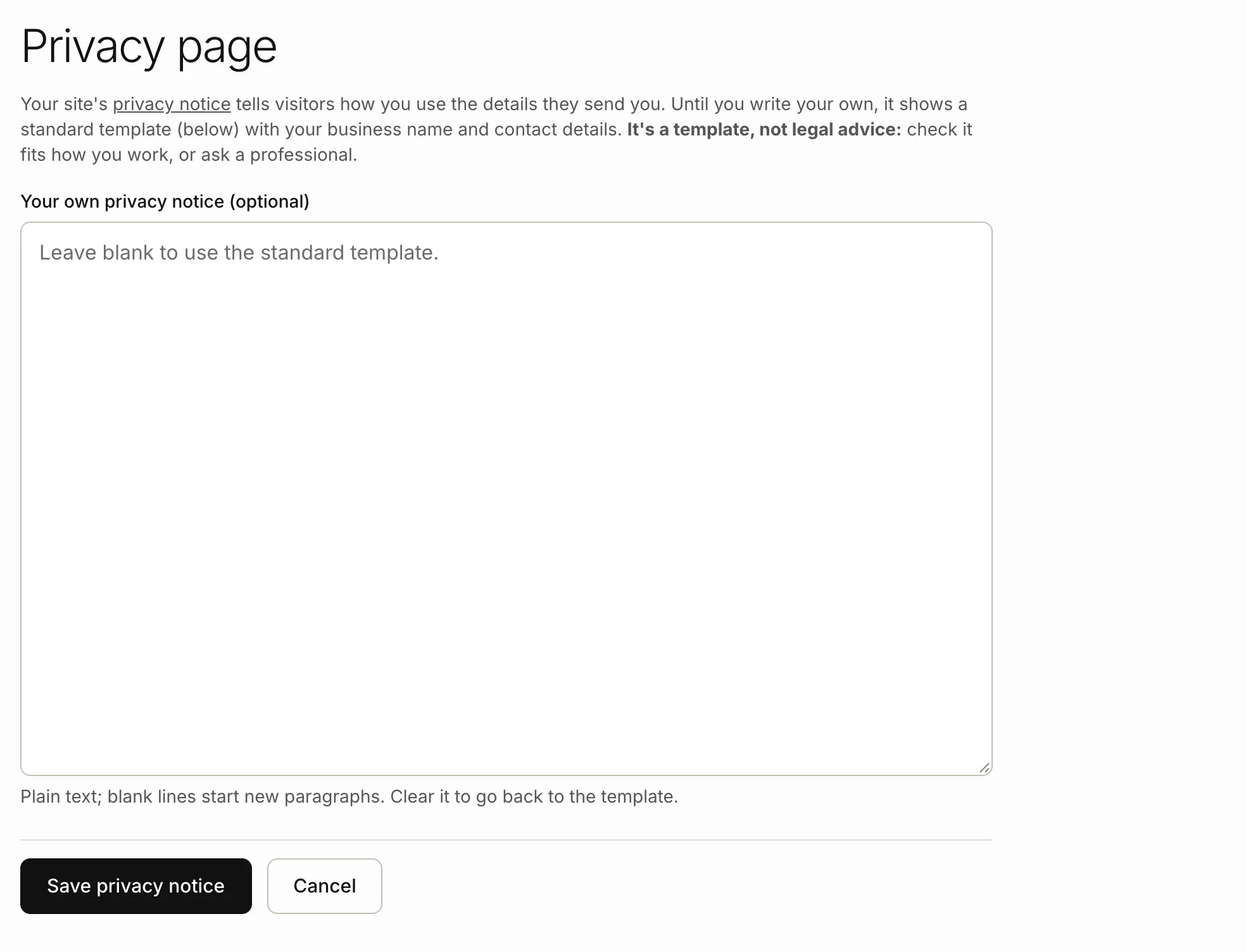
Your notice replaces the standard one on your site straight away. It’s plain text, with no bold, links or headings. Leave a blank line between paragraphs.
Go back to the standard notice
- Click Site content, then Privacy page.
- Delete everything in Your own privacy notice (optional).
- Click Save privacy notice.
We show “Using the default template”, and your site shows the standard notice again.
Still stuck? Contact us
Tell us what you're trying to do and where it went wrong. We reply by email within a working day.
Contact us